> ## Documentation Index
> Fetch the complete documentation index at: https://docs.sipapp.io/llms.txt
> Use this file to discover all available pages before exploring further.
# Color Formats
Convert and paste your colors in the format you need.
 ## Choosing a Color Format
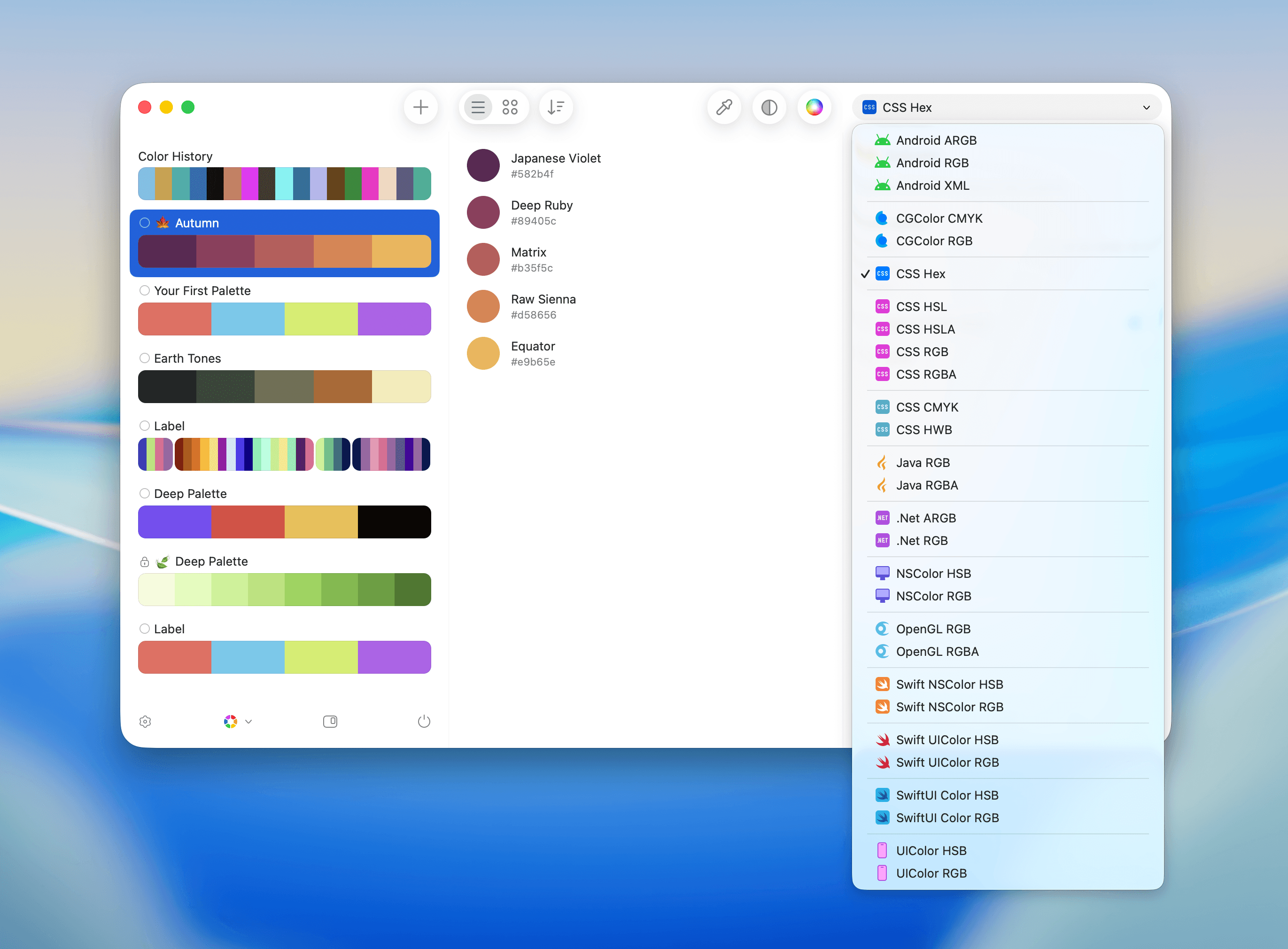
By default, Sip provides popular color formats used across design and development.
To select a format:
* Click the **Color Format** control below the toolbar.
* Choose the format you need.
You can manage formats in **Preferences > Formats**. Enable or disable built-in formats, duplicate formats to create custom variants, export custom formats, and delete formats you created.
Currently, Sip supports:
* **Android**
* Android ARGB
* Android RGB
* Android XML
* **CGColor**
* CGColor CMYK
* CGColor RGB
* **CSS**
* CSS Hex
* CSS HSL
* CSS HSLA
* CSS RGB
* CSS RGBA
* **Java**
* Java RGB
* Java RGBA
* **.Net**
* .Net RGB
* .Net ARGB
* **NSColor**
* NSColor HSB
* NSColor RGB
* **OpenGL**
* OpenGL RGB
* OpenGL RGBA
* **Swift**
* Swift NSColor HSB
* Swift NSColor RGB
* Swift UIColor HSB
* Swift UIColor RGB
* **UIColor**
* UIColor HSB
* UIColor RGB
## Choosing a Color Format
By default, Sip provides popular color formats used across design and development.
To select a format:
* Click the **Color Format** control below the toolbar.
* Choose the format you need.
You can manage formats in **Preferences > Formats**. Enable or disable built-in formats, duplicate formats to create custom variants, export custom formats, and delete formats you created.
Currently, Sip supports:
* **Android**
* Android ARGB
* Android RGB
* Android XML
* **CGColor**
* CGColor CMYK
* CGColor RGB
* **CSS**
* CSS Hex
* CSS HSL
* CSS HSLA
* CSS RGB
* CSS RGBA
* **Java**
* Java RGB
* Java RGBA
* **.Net**
* .Net RGB
* .Net ARGB
* **NSColor**
* NSColor HSB
* NSColor RGB
* **OpenGL**
* OpenGL RGB
* OpenGL RGBA
* **Swift**
* Swift NSColor HSB
* Swift NSColor RGB
* Swift UIColor HSB
* Swift UIColor RGB
* **UIColor**
* UIColor HSB
* UIColor RGB