> ## Documentation Index
> Fetch the complete documentation index at: https://docs.sipapp.io/llms.txt
> Use this file to discover all available pages before exploring further.

# Contrast Checker

The Contrast Checker helps you ensure your designs meet accessibility standards by simulating text contrast and validating color combinations. With a single toggle, you can check contrast ratios and fix problematic colors directly in the app.

## Why Contrast Matters

Over 300 million people worldwide experience visual challenges. Validating contrast ensures your designs remain accessible to all users, helping you comply with WCAG standards.

## Contrast Scoring System

The checker assigns a **contrast score** to each color combination:

* **AAA** (≥7.00): Highest level of accessibility
* **AA** (4.50–6.99): Good contrast for text
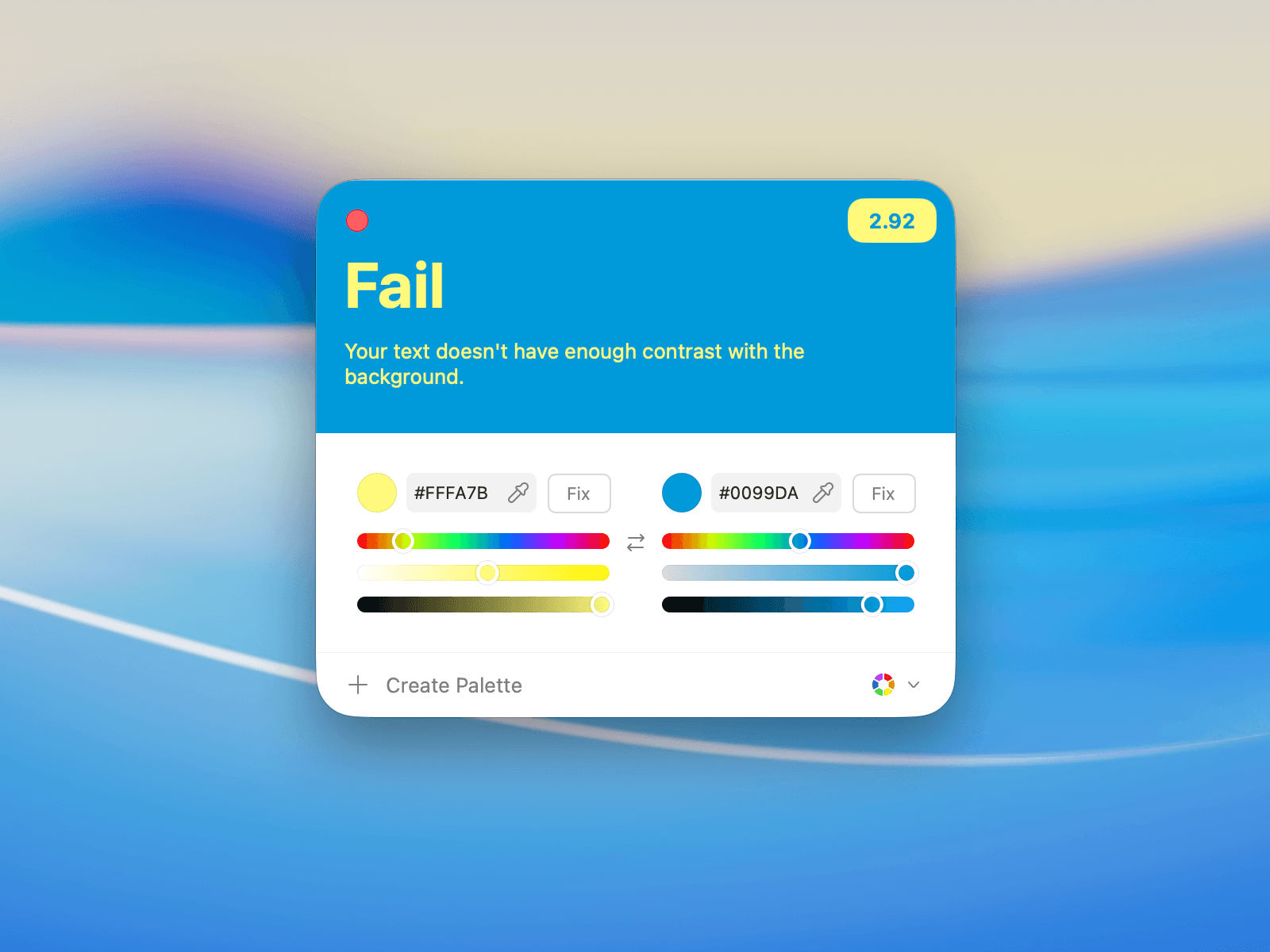
* **Fail** (\<4.50): Insufficient contrast for readability

<Tip>
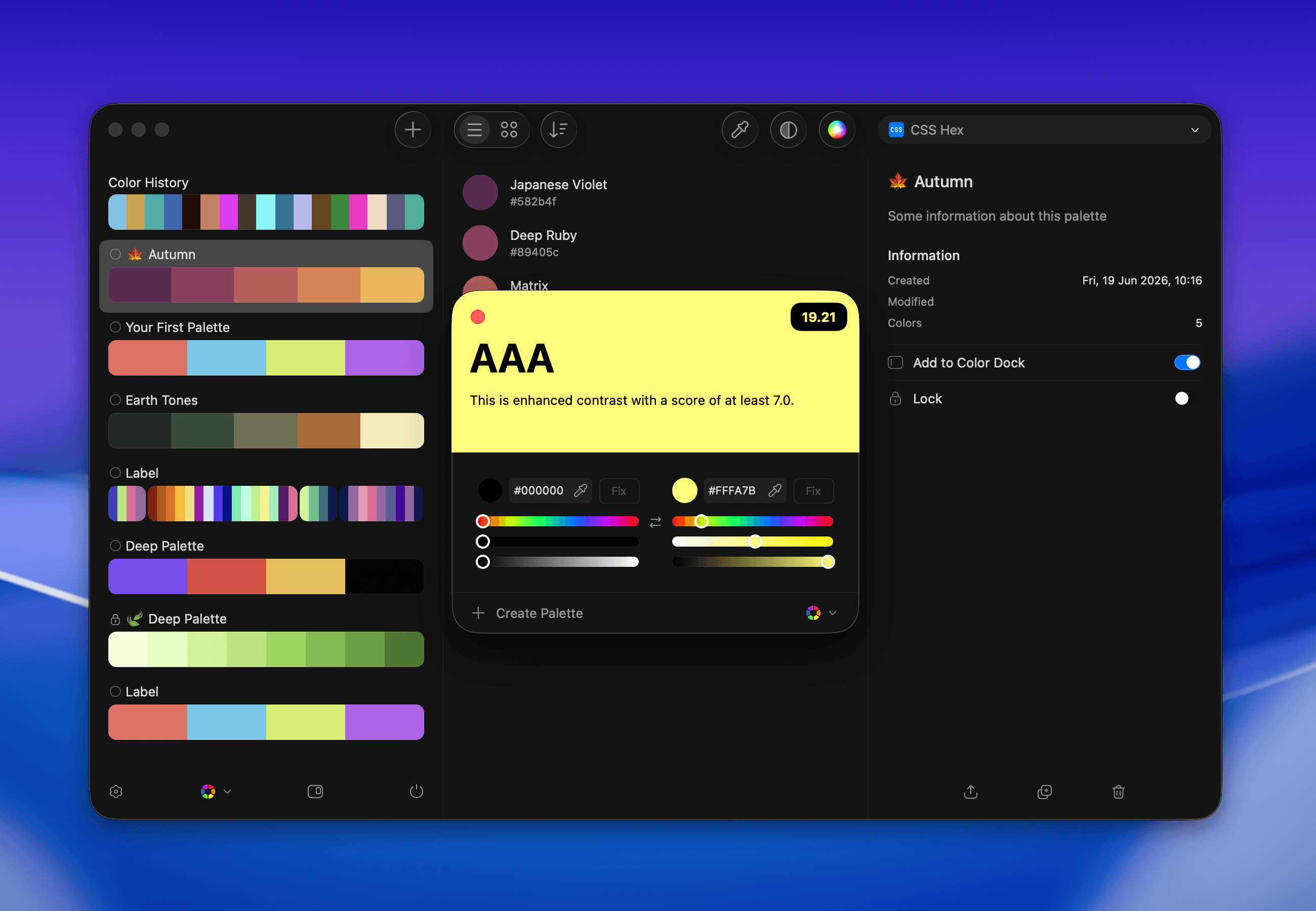
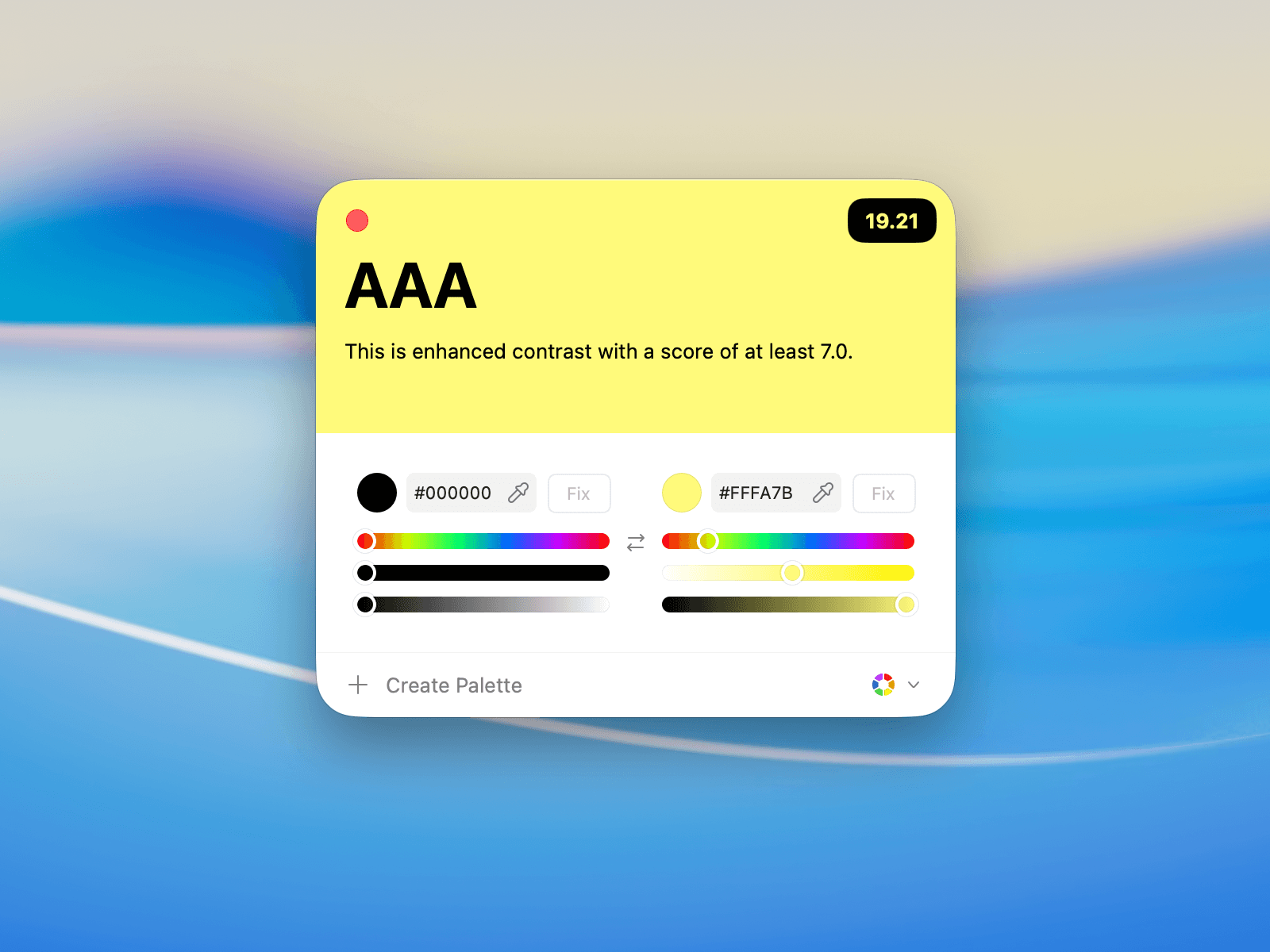
  <b>Example:</b> A score of 19.21 is considered excellent and meets AAA standards.
</Tip>

## Accessing Contrast Checker

You can access the Contrast Checker in two ways:

### From the Toolbar

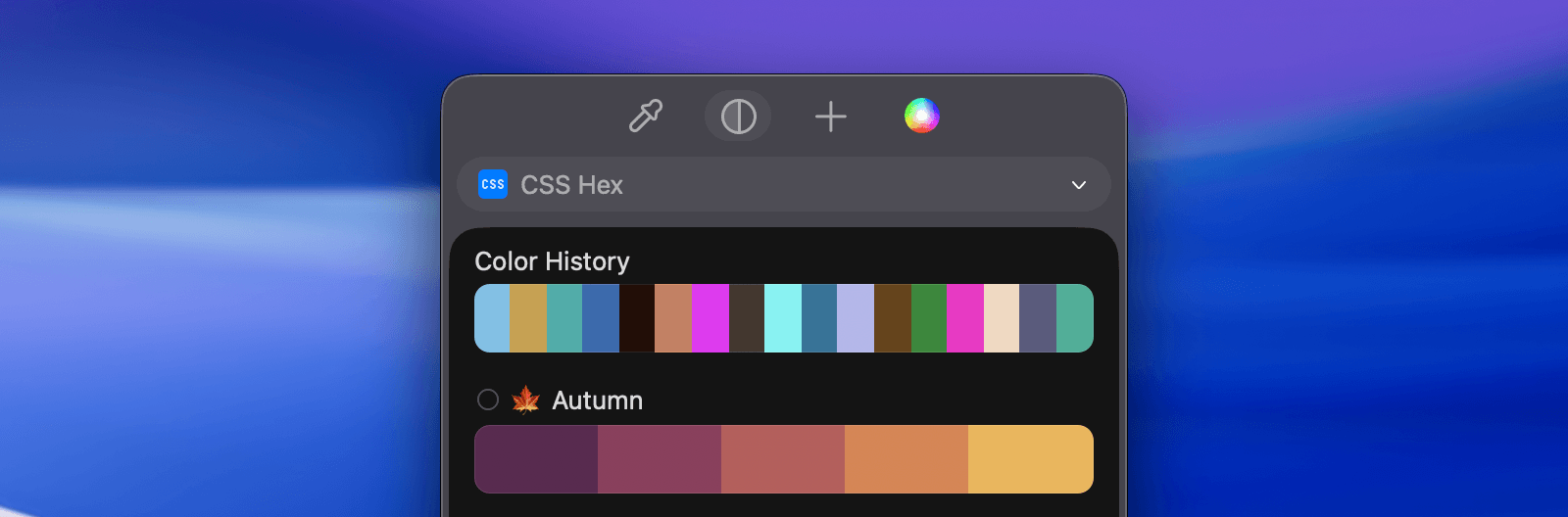
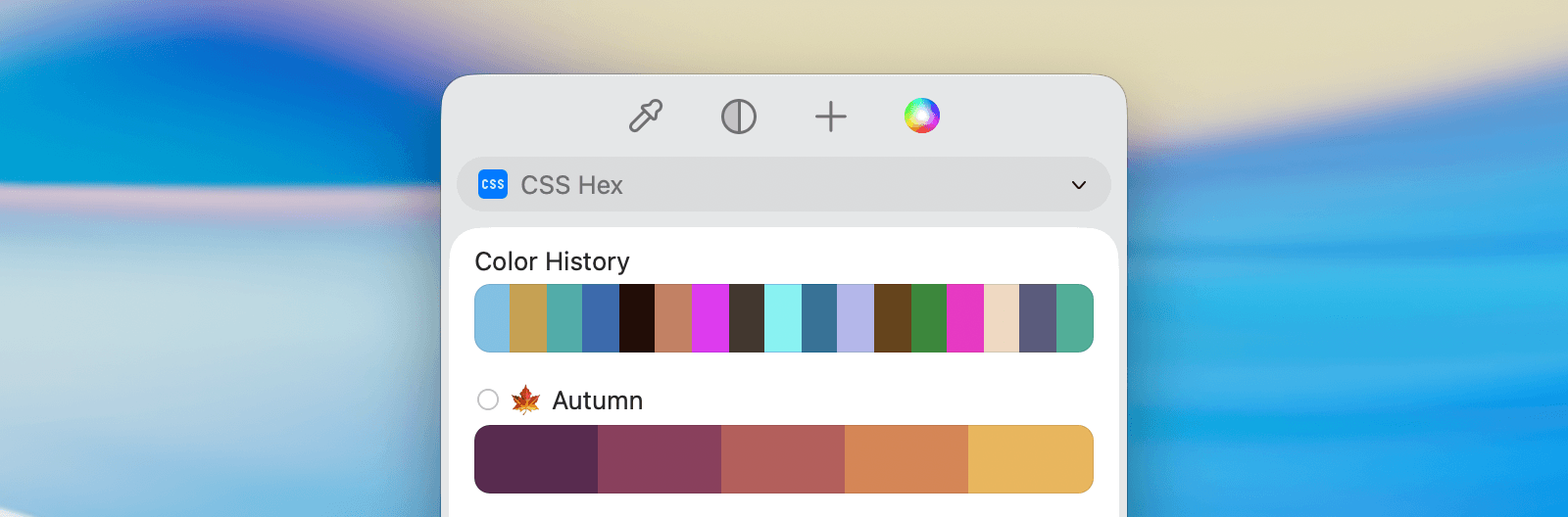
Click the **Contrast Checker** button in the toolbar to launch the tool.
<img className="block h-auto w-full rounded-2xl dark:hidden" src="https://mintcdn.com/sip/9J_M-7V4gWPP-GJC/_images/pages/contrast-checker/contrast-checker-menu-light@2x.png?fit=max&auto=format&n=9J_M-7V4gWPP-GJC&q=85&s=10b5c77d66ea00fe55d6e992d297de1e" alt="contrast-checker-menu" width="1600" height="528" data-path="_images/pages/contrast-checker/contrast-checker-menu-light@2x.png" />

<img className="hidden h-auto w-full rounded-2xl dark:block" src="https://mintcdn.com/sip/9J_M-7V4gWPP-GJC/_images/pages/contrast-checker/contrast-checker-menu-dark@2x.png?fit=max&auto=format&n=9J_M-7V4gWPP-GJC&q=85&s=6c8d1bb906dad6c223a0bb29c390e008" alt="contrast-checker-menu" width="1600" height="528" data-path="_images/pages/contrast-checker/contrast-checker-menu-dark@2x.png" />

### From the Main View

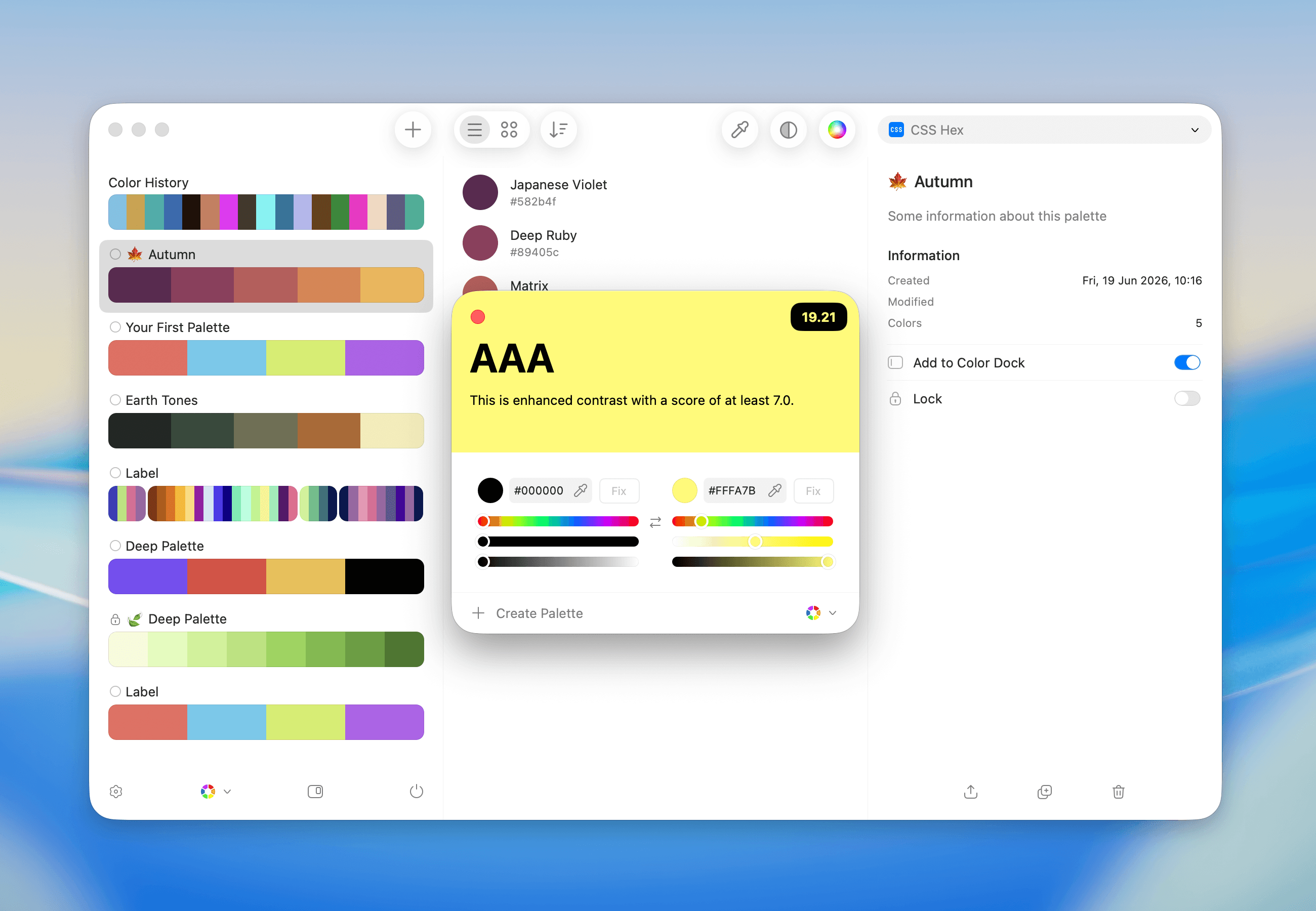
You can also open the Contrast Checker while working with palettes and colors in the main view.
<img className="block h-auto w-full rounded-2xl dark:hidden" src="https://mintcdn.com/sip/9J_M-7V4gWPP-GJC/_images/pages/contrast-checker/contrast-checker-main-light@2x.png?fit=max&auto=format&n=9J_M-7V4gWPP-GJC&q=85&s=5a73f2fc79bfdb1f0ad58d52cc65603e" alt="contrast-checker-main" width="2600" height="1800" data-path="_images/pages/contrast-checker/contrast-checker-main-light@2x.png" />

<img className="hidden h-auto w-full rounded-2xl dark:block" src="https://mintcdn.com/sip/9J_M-7V4gWPP-GJC/_images/pages/contrast-checker/contrast-checker-main-dark@2x.png?fit=max&auto=format&n=9J_M-7V4gWPP-GJC&q=85&s=04c291ba0b56753af67a817dc7a1c765" alt="contrast-checker-main" width="2600" height="1800" data-path="_images/pages/contrast-checker/contrast-checker-main-dark@2x.png" />

## Simulating and Fixing Contrast

### Simulating Contrast

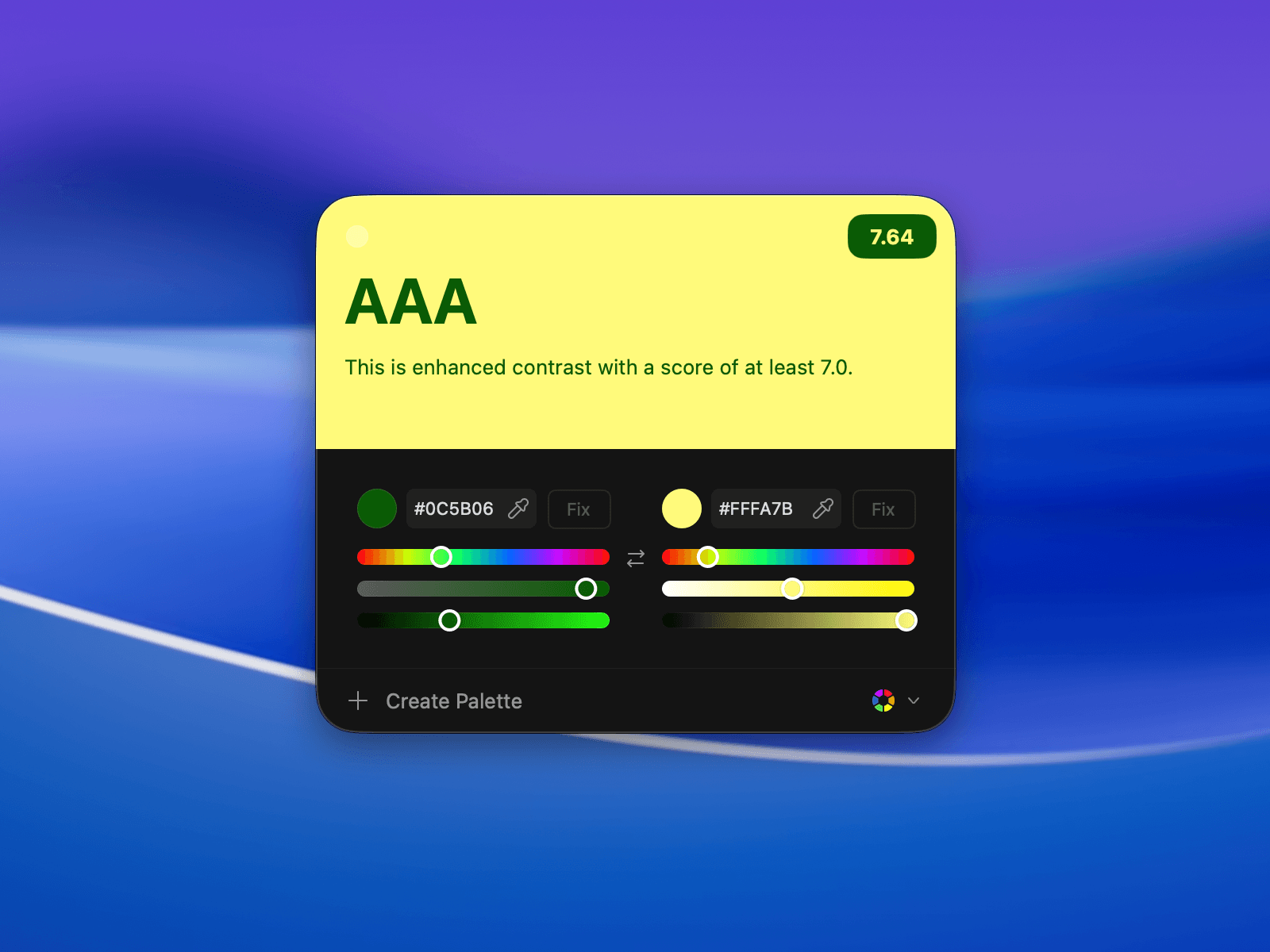
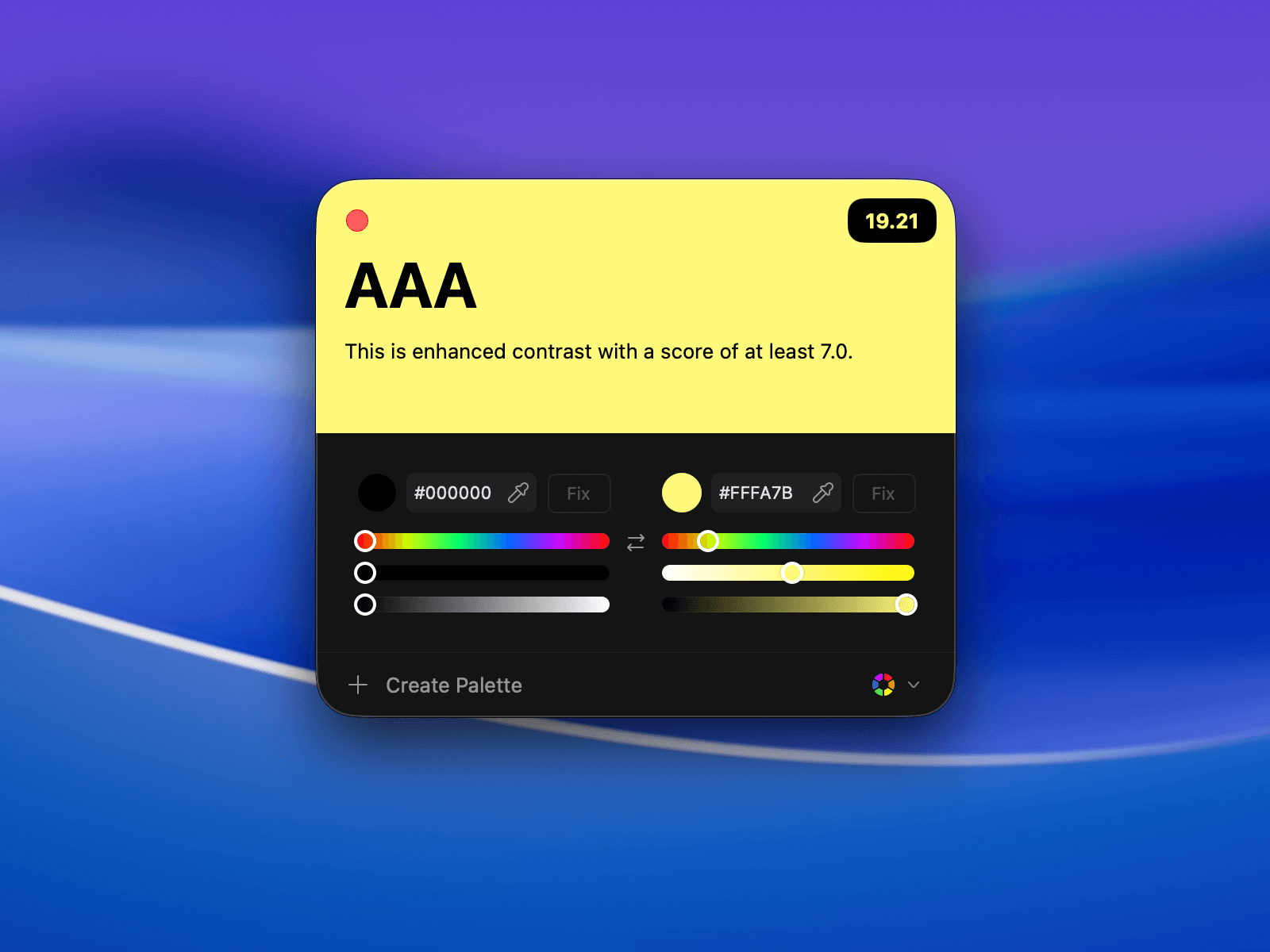
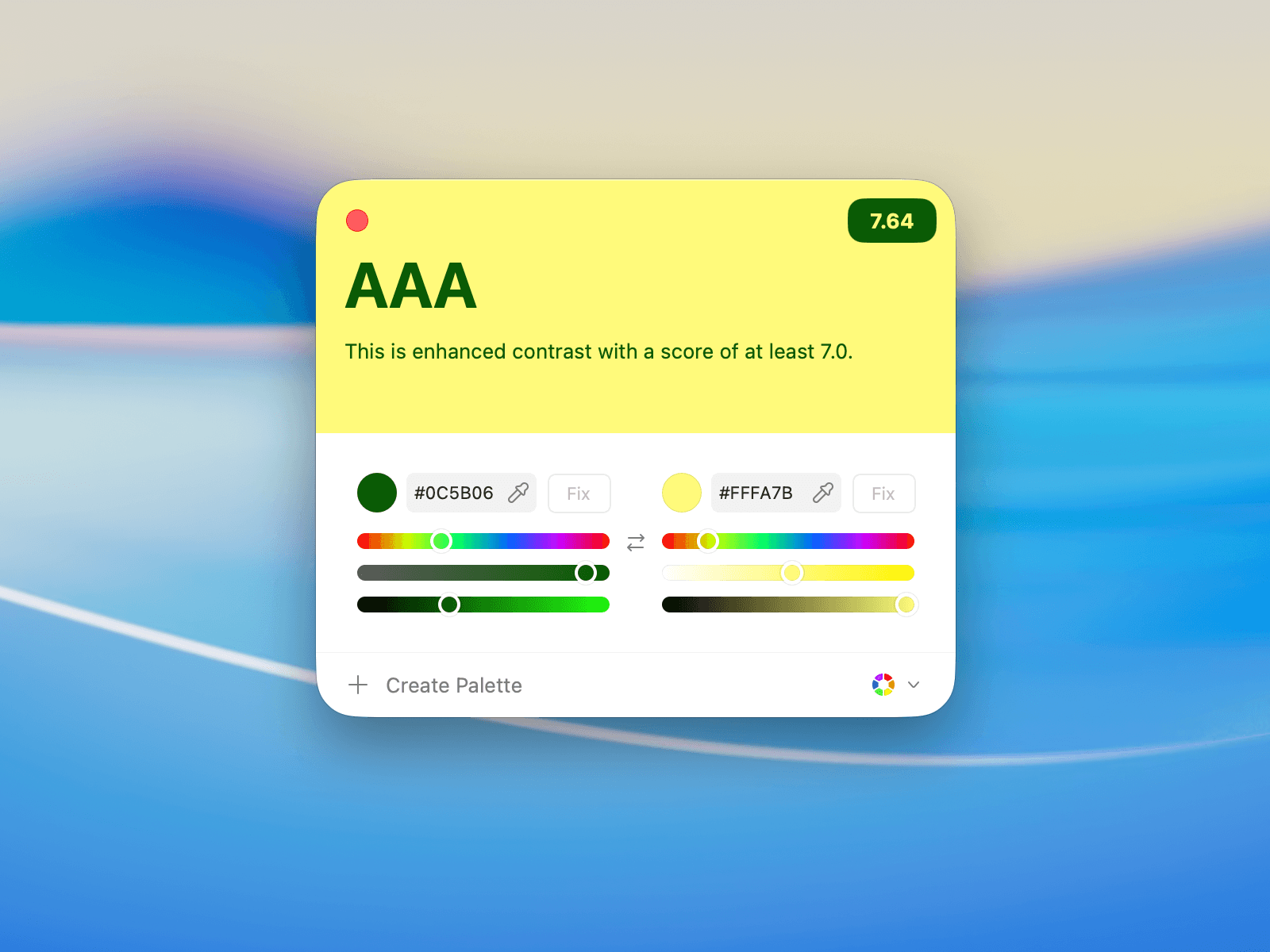
The Contrast Checker displays your text and background colors, alongside a **contrast score**. Adjust colors using the sliders or the color fields. The score updates in real time.
<img className="block h-auto w-full rounded-2xl dark:hidden" src="https://mintcdn.com/sip/9J_M-7V4gWPP-GJC/_images/pages/contrast-checker/contrast-checker-light@2x.png?fit=max&auto=format&n=9J_M-7V4gWPP-GJC&q=85&s=de359c3a31cd902a3346c98e0c513f5d" alt="contrast-checker" width="1600" height="1200" data-path="_images/pages/contrast-checker/contrast-checker-light@2x.png" />

<img className="hidden h-auto w-full rounded-2xl dark:block" src="https://mintcdn.com/sip/9J_M-7V4gWPP-GJC/_images/pages/contrast-checker/contrast-checker-dark@2x.png?fit=max&auto=format&n=9J_M-7V4gWPP-GJC&q=85&s=1dc9e3876e7c98fbf46a44246d61cc52" alt="contrast-checker" width="1600" height="1200" data-path="_images/pages/contrast-checker/contrast-checker-dark@2x.png" />

### Fixing Contrast Automatically

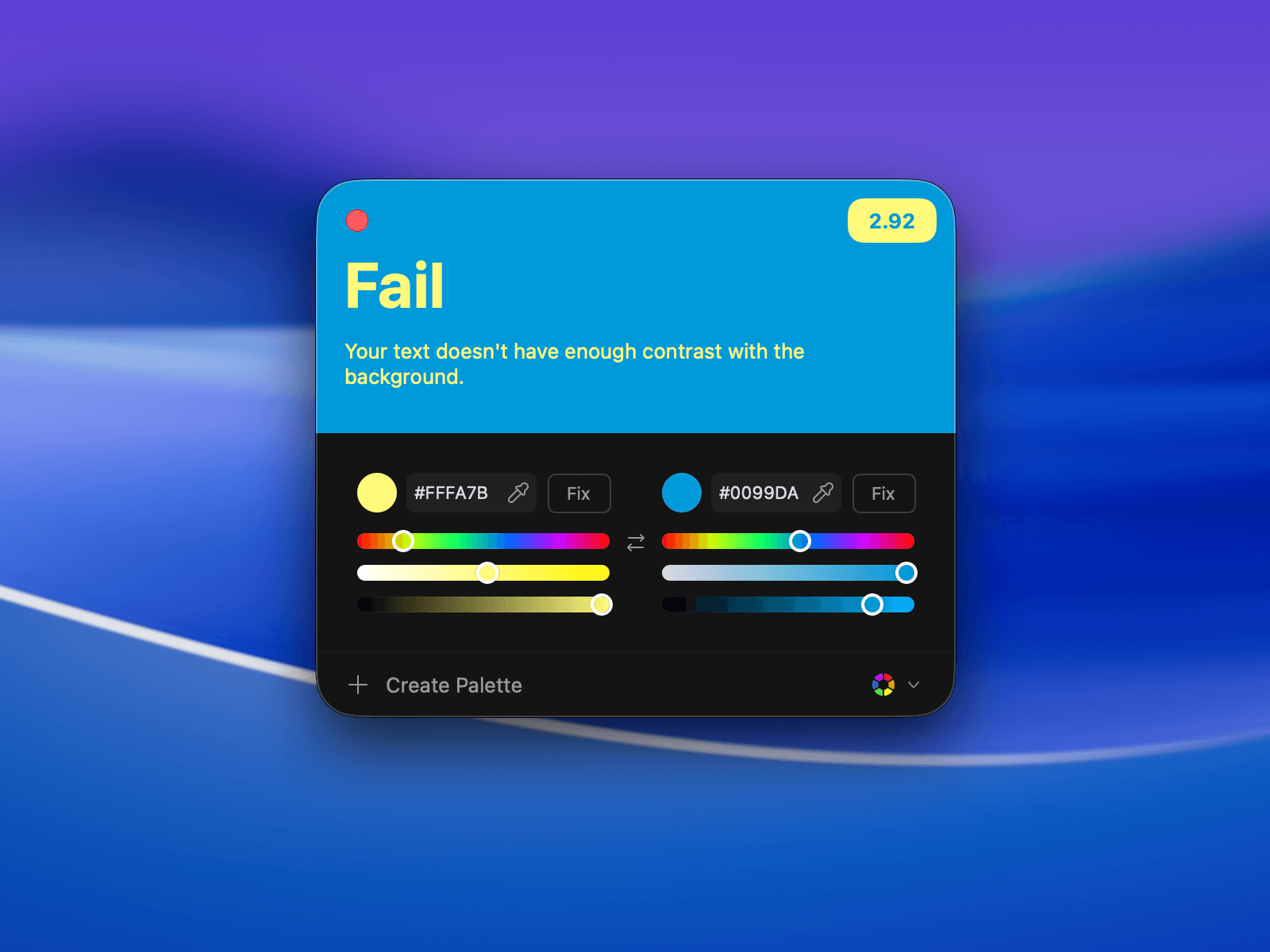
If a combination doesn't meet accessibility standards, use the **Fix** button to automatically adjust the color for better contrast.
<img className="block h-auto w-full rounded-2xl dark:hidden" src="https://mintcdn.com/sip/9J_M-7V4gWPP-GJC/_images/pages/contrast-checker/contrast-checker-fix-light@2x.png?fit=max&auto=format&n=9J_M-7V4gWPP-GJC&q=85&s=27634860eb70955b411c0180b49ad37a" alt="contrast-checker-fix" width="1600" height="1200" data-path="_images/pages/contrast-checker/contrast-checker-fix-light@2x.png" />

<img className="hidden h-auto w-full rounded-2xl dark:block" src="https://mintcdn.com/sip/9J_M-7V4gWPP-GJC/_images/pages/contrast-checker/contrast-checker-fix-dark@2x.png?fit=max&auto=format&n=9J_M-7V4gWPP-GJC&q=85&s=2690bb952690e5cc36afe41dab81d10c" alt="contrast-checker-fix" width="1600" height="1200" data-path="_images/pages/contrast-checker/contrast-checker-fix-dark@2x.png" />

## Editing Colors

You can manually adjust text or background colors to fine-tune your contrast.
<img className="block h-auto w-full rounded-2xl dark:hidden" src="https://mintcdn.com/sip/9J_M-7V4gWPP-GJC/_images/pages/contrast-checker/contrast-checker-edit-light@2x.png?fit=max&auto=format&n=9J_M-7V4gWPP-GJC&q=85&s=7c38cd365cd687c3e7a1a825b8d2958f" alt="contrast-checker-edit" width="1600" height="1200" data-path="_images/pages/contrast-checker/contrast-checker-edit-light@2x.png" />

<img className="hidden h-auto w-full rounded-2xl dark:block" src="https://mintcdn.com/sip/9J_M-7V4gWPP-GJC/_images/pages/contrast-checker/contrast-checker-edit-dark@2x.png?fit=max&auto=format&n=9J_M-7V4gWPP-GJC&q=85&s=9e10442d1042149ebc968818c7c6903e" alt="contrast-checker-edit" width="1600" height="1200" data-path="_images/pages/contrast-checker/contrast-checker-edit-dark@2x.png" />

## Check Contrast Results

The checker will visually indicate the contrast level:

* **Fail**: Not enough contrast for readability.
* **AA**: Good contrast for regular text.
* **AAA**: Excellent contrast, meeting enhanced readability standards.

Here’s an example of a **Fail** result:

<img className="block h-auto w-full rounded-2xl dark:hidden" src="https://mintcdn.com/sip/9J_M-7V4gWPP-GJC/_images/pages/contrast-checker/contrast-checker-fix-light@2x.png?fit=max&auto=format&n=9J_M-7V4gWPP-GJC&q=85&s=27634860eb70955b411c0180b49ad37a" alt="contrast-checker-fail" width="1600" height="1200" data-path="_images/pages/contrast-checker/contrast-checker-fix-light@2x.png" />

<img className="hidden h-auto w-full rounded-2xl dark:block" src="https://mintcdn.com/sip/9J_M-7V4gWPP-GJC/_images/pages/contrast-checker/contrast-checker-fix-dark@2x.png?fit=max&auto=format&n=9J_M-7V4gWPP-GJC&q=85&s=2690bb952690e5cc36afe41dab81d10c" alt="contrast-checker-fail" width="1600" height="1200" data-path="_images/pages/contrast-checker/contrast-checker-fix-dark@2x.png" />

And an example of an **AAA** result:

<img className="block h-auto w-full rounded-2xl dark:hidden" src="https://mintcdn.com/sip/9J_M-7V4gWPP-GJC/_images/pages/contrast-checker/contrast-checker-light@2x.png?fit=max&auto=format&n=9J_M-7V4gWPP-GJC&q=85&s=de359c3a31cd902a3346c98e0c513f5d" alt="contrast-checker-aaa" width="1600" height="1200" data-path="_images/pages/contrast-checker/contrast-checker-light@2x.png" />

<img className="hidden h-auto w-full rounded-2xl dark:block" src="https://mintcdn.com/sip/9J_M-7V4gWPP-GJC/_images/pages/contrast-checker/contrast-checker-dark@2x.png?fit=max&auto=format&n=9J_M-7V4gWPP-GJC&q=85&s=1dc9e3876e7c98fbf46a44246d61cc52" alt="contrast-checker-aaa" width="1600" height="1200" data-path="_images/pages/contrast-checker/contrast-checker-dark@2x.png" />

## Tips for Better Contrast

<Tip>
  <b>Example:</b> Pair dark text with light backgrounds and vice versa to maximize contrast.
</Tip>

## Conclusion

Whether you’re working on web designs, app interfaces, or presentations, Sip’s Contrast Checker helps you make sure your colors are accessible and readable.