> ## Documentation Index
> Fetch the complete documentation index at: https://docs.sipapp.io/llms.txt
> Use this file to discover all available pages before exploring further.
# URL Schemes
Using the `sip://` custom URL scheme, you can interact with the Sip app and trigger specific actions.
The URL schemes allow you to:
* Activate your license
* Open Picker
* Open Contrast Checker
* Open Preferences
* Add Colors
* Add Palettes
This enables deeper integration with your workflow.
## License
To activate your license, use the following format:
```
sip://license/{{SERIAL_NUMBER}}
```
This will launch the Activation window and automatically populate the license field with your `{{SERIAL_NUMBER}}`.
Example: `sip://license/SIP-000-000-000-000-000`

 ## Picker
Launch the Sip Picker with:
```
sip://picker
```
Example: `sip://picker`
## Picker
Launch the Sip Picker with:
```
sip://picker
```
Example: `sip://picker`

 ## Contrast Checker
Launch the Contrast Checker using:
```
sip://contrast
```
You can also pass two colors (in `hex` or `rgba` format) to compare:
Example: `sip://contrast`
Example: `sip://contrast/hex/#000000,#FFFA7B`
Example: `sip://contrast/rgba/0-0-0-1.00,255-250-123-1.00`
## Contrast Checker
Launch the Contrast Checker using:
```
sip://contrast
```
You can also pass two colors (in `hex` or `rgba` format) to compare:
Example: `sip://contrast`
Example: `sip://contrast/hex/#000000,#FFFA7B`
Example: `sip://contrast/rgba/0-0-0-1.00,255-250-123-1.00`

 ## Preferences
Open the Preferences window using:
```
sip://settings
```
Optionally, specify a tab to open directly. Valid values: `general`, `appearance`, `formats`, `smart-formats`, `smart-profiles`, `dock`, `shortcuts`, `cloud`, `snapshots`, and `about`.
Example: `sip://settings`
Example: `sip://settings/general`
## Preferences
Open the Preferences window using:
```
sip://settings
```
Optionally, specify a tab to open directly. Valid values: `general`, `appearance`, `formats`, `smart-formats`, `smart-profiles`, `dock`, `shortcuts`, `cloud`, `snapshots`, and `about`.
Example: `sip://settings`
Example: `sip://settings/general`

 ## Color
Add a color to your history using:
```
sip://color/{format}/{color_name}/{color_value}
```
* `{format}`: `hex` or `rgba`
* `{color_name}`: The name of the color
* `{color_value}`: Must match the selected format
Example: `sip://color/hex/Pistachio/#9FD362`
Example: `sip://color/rgba/Sap Green/80-119-51-1.00`
## Color
Add a color to your history using:
```
sip://color/{format}/{color_name}/{color_value}
```
* `{format}`: `hex` or `rgba`
* `{color_name}`: The name of the color
* `{color_value}`: Must match the selected format
Example: `sip://color/hex/Pistachio/#9FD362`
Example: `sip://color/rgba/Sap Green/80-119-51-1.00`

 ## Palette
Add a palette using:
```
sip://palette/{format}/{palette_name}/{color_list}
```
* `{format}`: `hex` or `rgba`
* `{palette_name}`: The name of the palette
* `{color_list}`: Comma-separated list of `{color_name}-{color_value}` entries. Each value must match the format.
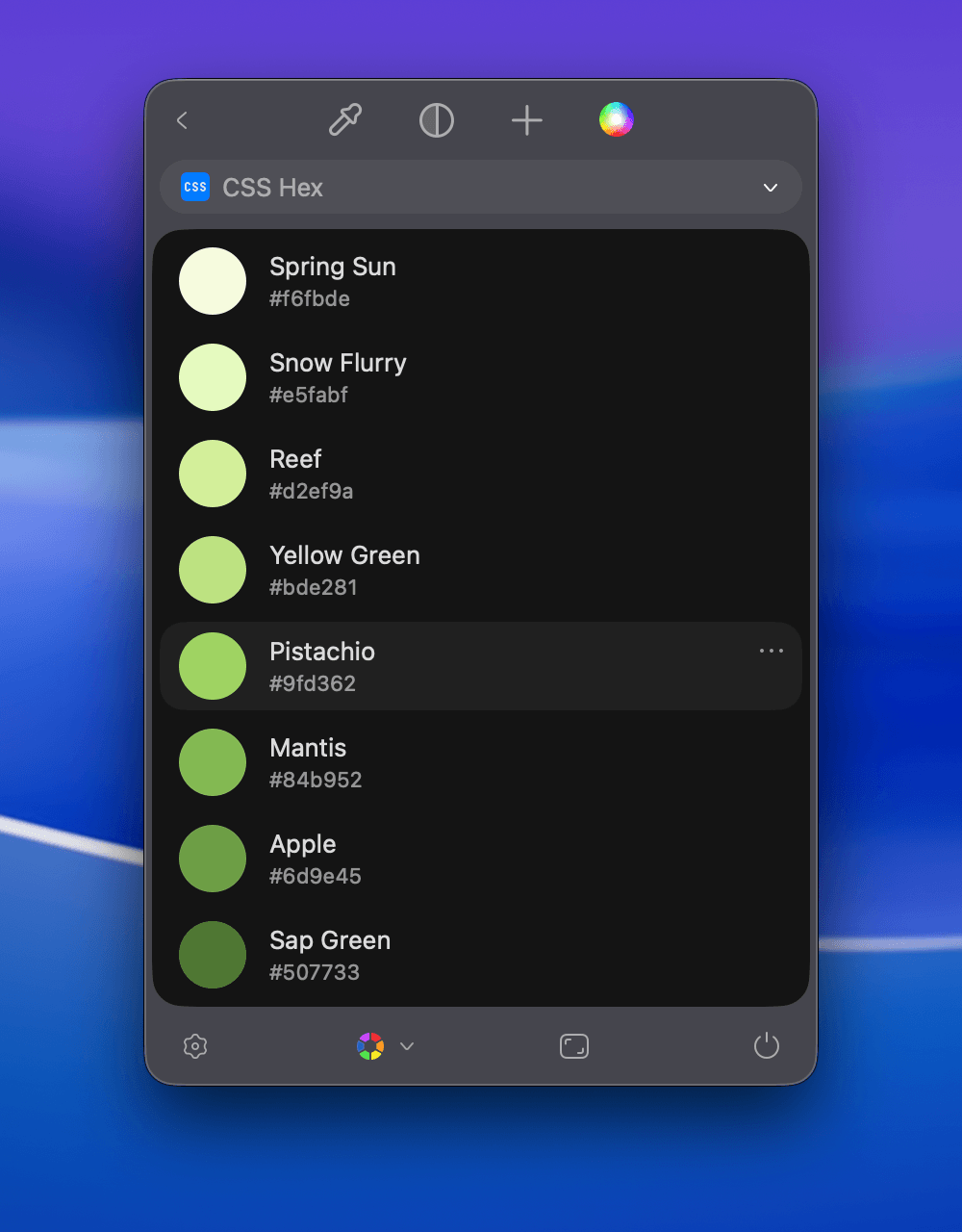
Example: `sip://palette/rgba/Deep Palette/Spring Sun-246-251-222-1.00,Snow Flurry-229-250-191-1.00,Reef-210-239-154-1.00,Yellow Green-189-226-129-1.00,Pistachio-159-211-98-1.00,Mantis-132-185-82-1.00,Apple-109-158-69-1.00,Sap Green-80-119-51-1.00`
Example: `sip://palette/hex/Deep Palette/Spring Sun-#F6FBDE,Snow Flurry-#E5FABF,Reef-#D2EF9A,Yellow Green-#BDE281,Pistachio-#9FD362,Mantis-#84B952,Apple-#6D9E45,Sap Green-#507733`
## Palette
Add a palette using:
```
sip://palette/{format}/{palette_name}/{color_list}
```
* `{format}`: `hex` or `rgba`
* `{palette_name}`: The name of the palette
* `{color_list}`: Comma-separated list of `{color_name}-{color_value}` entries. Each value must match the format.
Example: `sip://palette/rgba/Deep Palette/Spring Sun-246-251-222-1.00,Snow Flurry-229-250-191-1.00,Reef-210-239-154-1.00,Yellow Green-189-226-129-1.00,Pistachio-159-211-98-1.00,Mantis-132-185-82-1.00,Apple-109-158-69-1.00,Sap Green-80-119-51-1.00`
Example: `sip://palette/hex/Deep Palette/Spring Sun-#F6FBDE,Snow Flurry-#E5FABF,Reef-#D2EF9A,Yellow Green-#BDE281,Pistachio-#9FD362,Mantis-#84B952,Apple-#6D9E45,Sap Green-#507733`